
How to troubleshoot a temperature transmitter with no output?
Leave a message

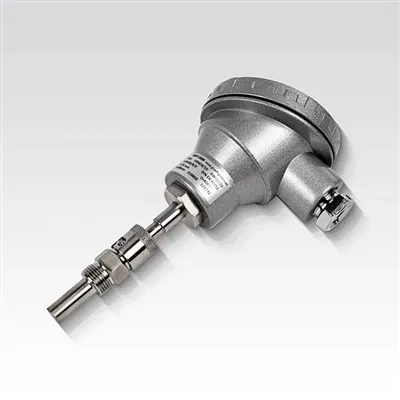
Hey there! As a supplier of Temperature Transmitters, I've seen my fair share of issues with these nifty devices. One of the most common problems that customers run into is a temperature transmitter with no output. It can be a real headache, but don't worry – I'm here to walk you through some steps to troubleshoot this issue.
Check the Power Supply
The first thing you gotta do is make sure your temperature transmitter is getting power. A lack of power is one of the most straightforward reasons for no output. Start by checking the power source. Is it plugged in correctly? If it's a battery - powered transmitter, are the batteries fresh and installed the right way?
Sometimes, the power supply might be there, but there could be a problem with the wiring. Look for any loose connections, frayed wires, or signs of corrosion at the terminals. If you find any issues, fix them up. Tighten the loose connections, replace the frayed wires, and clean the corroded terminals using an appropriate cleaning agent.
Inspect the Sensor
The sensor is the heart of the temperature transmitter. It's responsible for measuring the temperature and sending that data to the transmitter for processing. A faulty sensor can definitely lead to no output.
First, visually inspect the sensor. Look for any physical damage, like cracks or breaks. If you notice any, it's likely that the sensor needs to be replaced.
Next, check the sensor's resistance. You can use a multimeter for this. Compare the measured resistance with the manufacturer's specifications. If the resistance is way off, then the sensor might be bad.
It's also a good idea to make sure the sensor is properly installed. Sometimes, a loose or misaligned sensor won't work correctly. Ensure that it's in the right position and making good contact with the medium whose temperature you're trying to measure.
Look at the Transmitter Electronics
The electronics inside the temperature transmitter can also cause problems. There could be a blown fuse, a damaged circuit board, or a malfunctioning component.
Check the fuse first. If it's blown, replace it with a fuse of the same rating. Be careful when handling fuses, as they can be quite delicate.
If the fuse is okay, then you might need to take a closer look at the circuit board. Look for any signs of burning, such as blackened areas or a burnt smell. If you're not comfortable working with electronics, it might be best to send the transmitter back to the manufacturer or a professional repair service.
Calibration Issues
A temperature transmitter that's out of calibration can also show no output or incorrect readings. Over time, the transmitter can drift from its original calibration.
You can try to recalibrate the transmitter using a known temperature source. For example, you can use an ice - water bath (which is at 0°C or 32°F) or a boiling - water bath (which is at 100°C or 212°F at sea level). Follow the manufacturer's instructions for the calibration process.
If you're unable to calibrate the transmitter yourself, you can contact the manufacturer's technical support. They can guide you through the process or arrange for a professional calibration service.
Communication and Output Wiring
The wiring that carries the output signal from the temperature transmitter to the receiving device (like a controller or a display) can be a source of problems.
Check the output wiring for any breaks, shorts, or loose connections. Make sure the wiring is properly terminated at both ends. If you're using a shielded cable, ensure that the shield is grounded correctly.
Also, check the communication protocol settings. Some temperature transmitters support different communication protocols, like Modbus or HART. Make sure the settings on the transmitter match the settings on the receiving device.
Consider External Factors
Sometimes, external factors can affect the performance of the temperature transmitter. For example, electromagnetic interference (EMI) can disrupt the signal.
If the transmitter is located near high - voltage equipment, motors, or other sources of EMI, try moving it to a different location. You can also use shielded cables to reduce the impact of EMI.


Another external factor could be environmental conditions. Extreme temperatures, humidity, or vibration can damage the transmitter or affect its performance. Make sure the transmitter is installed in an environment that meets the manufacturer's specifications.
Related Products
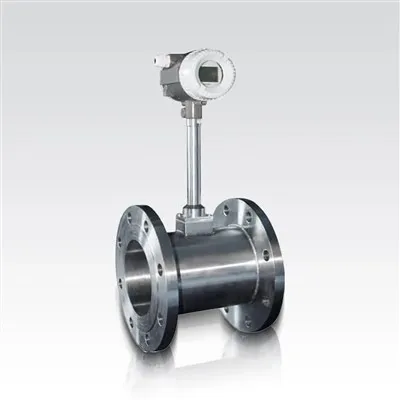
If you're in the market for other measurement devices, we also offer some great products like the Turbine Flow Meter. It's a reliable device for measuring the flow rate of liquids and gases.
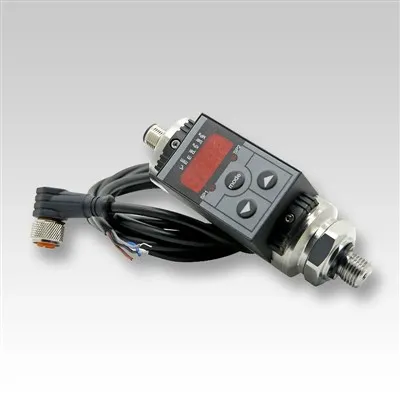
We also have the Smart Digital Automatic Temperature Switch, which can be used to control temperature in various applications.
And for those who need to measure differential pressure, our Differential Pressure Transmitter is a top - notch choice.
Conclusion
Troubleshooting a temperature transmitter with no output can be a bit of a challenge, but by following these steps, you should be able to identify and fix the problem. Remember, if you're still having issues after trying all these steps, don't hesitate to reach out to us. We're here to help you get your temperature transmitter up and running again.
If you're interested in purchasing a new temperature transmitter or any of our other products, we'd love to have a chat with you. Just reach out to start the procurement discussion, and we'll work together to find the best solution for your needs.
References
- Manufacturer's manuals for temperature transmitters
- Electrical engineering textbooks on sensor and transmitter troubleshooting
- Industry standards for temperature measurement and control