
How to troubleshoot an Indicator and Controller when it malfunctions?
Leave a message

Troubleshooting an Indicator and Controller when it malfunctions is a crucial skill for anyone working with these devices. As a leading supplier of Indicator and Controller, I've encountered various issues over the years. In this blog, I'll share some effective troubleshooting steps and insights to help you get your equipment back up and running.
Understanding the Basics
Before diving into troubleshooting, it's essential to have a basic understanding of how Indicators and Controllers work. Indicators are used to display various parameters such as pressure, temperature, or flow rate. Controllers, on the other hand, are designed to regulate these parameters by adjusting the input or output signals.


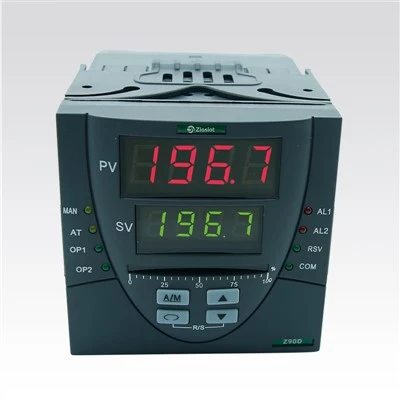
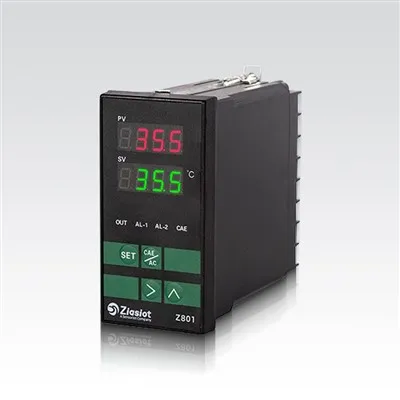
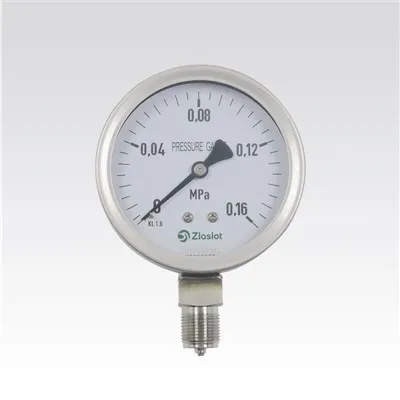
For example, a Digital PID Pressure Controller is a type of controller that uses a Proportional - Integral - Derivative (PID) algorithm to maintain a set pressure. A Pressure Indicator simply shows the current pressure value. And a Pressure Temperature Indicator can display both pressure and temperature readings.
Common Malfunctions and Their Causes
- Inaccurate Readings
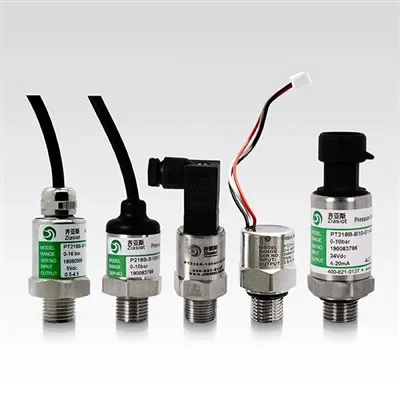
- Sensor Issues: The most common cause of inaccurate readings is a faulty sensor. Sensors can degrade over time due to wear and tear, exposure to harsh environments, or electrical interference. For example, if a pressure sensor is exposed to high - pressure spikes, it may become damaged and give incorrect readings.
- Calibration Problems: Incorrect calibration can also lead to inaccurate readings. Over time, the calibration of an Indicator or Controller may drift, causing the displayed values to deviate from the actual values.
- No Display or Erratic Display
- Power Supply Problems: A malfunctioning power supply can cause the Indicator or Controller to have no display or an erratic display. This could be due to a blown fuse, a loose connection, or a faulty power adapter.
- Internal Circuit Issues: Problems with the internal circuits, such as a short circuit or a damaged component, can also lead to display problems.
- Failure to Control
- Actuator Problems: If the controller is supposed to control an actuator (such as a valve), a malfunctioning actuator can prevent the controller from working properly. For example, a stuck valve may not respond to the control signals from the controller.
- Control Algorithm Issues: Incorrect programming of the control algorithm can also cause the controller to fail to control the process effectively.
Troubleshooting Steps
Step 1: Check the Power Supply
- First, ensure that the Indicator and Controller are properly connected to a stable power source. Check for any loose connections, blown fuses, or damaged power cables. If the device has a power switch, make sure it is turned on.
- Measure the voltage at the power input of the device using a multimeter. Compare the measured voltage with the rated voltage of the device. If the voltage is significantly different, there may be a problem with the power supply.
Step 2: Inspect the Sensors
- Check the sensors for any visible damage, such as cracks or corrosion. If possible, clean the sensors to remove any dirt or debris that may be affecting their performance.
- Use a reference sensor to compare the readings of the suspect sensor. If the readings are significantly different, the suspect sensor may be faulty and need to be replaced.
Step 3: Check the Calibration
- If the device has a calibration function, follow the manufacturer's instructions to perform a calibration. This may involve adjusting the zero and span settings of the device.
- If the device does not have a calibration function, it may need to be sent to a professional calibration service for adjustment.
Step 4: Examine the Actuators
- If the controller is controlling an actuator, check the actuator for proper operation. Make sure it is properly connected to the controller and that it can move freely.
- If the actuator is not responding to the control signals, check the control output of the controller using a multimeter. If the output is correct, the problem may be with the actuator itself.
Step 5: Review the Control Algorithm
- Check the programming of the control algorithm to ensure that it is correct. Make sure that the setpoints, gains, and other parameters are properly configured.
- If possible, simulate the control process using a test signal to verify that the controller is working as expected.
Advanced Troubleshooting Techniques
- Using Diagnostic Tools: Some Indicators and Controllers come with built - in diagnostic tools that can help identify problems. These tools may include error codes, self - tests, or data logging functions. Refer to the device's user manual to learn how to use these diagnostic tools.
- Firmware Updates: Sometimes, a malfunction may be caused by outdated firmware in the device. Check the manufacturer's website for any available firmware updates and follow the instructions to install them.
When to Seek Professional Help
- If you have followed all the troubleshooting steps and still cannot resolve the problem, it may be time to seek professional help. Contact the manufacturer's technical support team or a qualified technician who has experience working with Indicators and Controllers.
- Professional technicians have the necessary tools and expertise to diagnose and repair complex problems. They can also provide advice on how to prevent similar problems from occurring in the future.
Conclusion
Troubleshooting an Indicator and Controller when it malfunctions requires a systematic approach. By understanding the common causes of malfunctions and following the troubleshooting steps outlined in this blog, you can often identify and resolve the problem on your own. However, if you encounter a complex problem, don't hesitate to seek professional help.
If you are in the market for high - quality Indicators and Controllers, or if you need further assistance with troubleshooting, we are here to help. Our team of experts can provide you with the right products and support to meet your needs. Contact us to start a procurement discussion and find the best solutions for your applications.
References
- Manufacturer's user manuals for Indicators and Controllers
- Industry standards and best practices for troubleshooting electronic devices