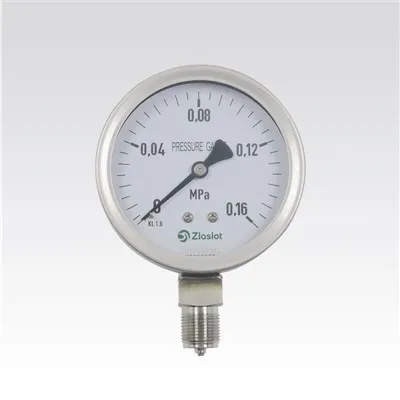

How do I upgrade the firmware of a digital pressure meter?
Leave a message

Upgrading the firmware of a digital pressure meter is a crucial process that can enhance the device's performance, add new features, and improve overall reliability. As a supplier of digital pressure meters, I understand the importance of this procedure and am here to guide you through the steps involved.
Why Upgrade the Firmware?
Before delving into the upgrade process, it's essential to understand why firmware upgrades are necessary. Firmware is the software embedded in the digital pressure meter that controls its operation. Over time, manufacturers release firmware updates to address bugs, improve accuracy, and introduce new functionalities. By upgrading the firmware, you can ensure that your digital pressure meter operates at its best and remains compatible with the latest technologies.
Pre - upgrade Preparations
1. Check Compatibility
First and foremost, you need to confirm that the firmware upgrade is compatible with your specific model of the digital pressure meter. Each device has a unique set of hardware and software requirements, and using an incompatible firmware version can lead to malfunctions or even permanent damage to the device. You can usually find the model number and serial number of your digital pressure meter on its label or in the user manual. Refer to our official website or contact our customer support team to obtain the correct firmware version for your device.
2. Backup Data
If your digital pressure meter stores any important data, such as measurement records or calibration settings, it's advisable to back up this data before starting the upgrade process. This ensures that you don't lose any valuable information in case something goes wrong during the upgrade. Some digital pressure meters allow you to transfer data to a computer via a USB cable or other communication interfaces. Follow the instructions in the user manual to perform a data backup.
3. Prepare the Necessary Tools
To upgrade the firmware, you'll need a few tools, including a computer with a stable internet connection, a USB cable (if required), and the appropriate firmware upgrade file. Make sure your computer meets the system requirements specified by the firmware upgrade. Additionally, ensure that the USB cable is in good condition and compatible with your digital pressure meter.
The Firmware Upgrade Process
1. Download the Firmware
Visit our official website and navigate to the support section. Locate the firmware download page and find the correct firmware version for your digital pressure meter. Click on the download link to save the firmware upgrade file to your computer. Make sure to download the file from a trusted source to avoid downloading corrupted or malicious files.
2. Connect the Digital Pressure Meter
Once the firmware upgrade file is downloaded, connect your digital pressure meter to your computer using the USB cable. Ensure that the connection is secure and that the device is recognized by your computer. Some digital pressure meters may require you to put them into a specific mode, such as the upgrade mode, before connecting them to the computer. Refer to the user manual for detailed instructions on how to enter the upgrade mode.
3. Run the Upgrade Utility
After connecting the digital pressure meter, run the firmware upgrade utility on your computer. The upgrade utility is usually included in the firmware download package. Follow the on - screen instructions to start the upgrade process. The utility will detect your digital pressure meter and verify the firmware version. It will then prompt you to confirm the upgrade. Click "Yes" to proceed with the upgrade.
4. Wait for the Upgrade to Complete
The firmware upgrade process may take several minutes to complete, depending on the size of the firmware file and the speed of your computer and digital pressure meter. During the upgrade, do not disconnect the digital pressure meter from the computer or turn off the power. Wait patiently for the upgrade to finish. The upgrade utility will display the progress of the upgrade, and once it's completed, it will notify you.
5. Verify the Upgrade
After the upgrade is finished, disconnect the digital pressure meter from the computer and turn it on. Check if the device is functioning properly and if the new features or improvements are available. You can also refer to the release notes of the firmware upgrade to verify that the upgrade was successful. If you encounter any issues or problems, contact our customer support team for assistance.


Post - upgrade Considerations
1. Calibration
In some cases, a firmware upgrade may affect the calibration of your digital pressure meter. It's recommended to perform a calibration check after the upgrade to ensure that the device is providing accurate measurements. Follow the calibration procedures outlined in the user manual or contact our technical support team for guidance.
2. Update the User Manual
If the firmware upgrade introduces new features or changes the operation of the digital pressure meter, make sure to update your user manual. You can download the latest version of the user manual from our official website. Familiarize yourself with the new features and functions to make the most of your upgraded digital pressure meter.
Our Product Range
As a leading supplier of digital pressure meters, we offer a wide range of products to meet the diverse needs of our customers. Our product portfolio includes High Temperature Mechanical Melt Presssure Gauges, which are designed to withstand high temperatures and provide accurate pressure measurements in challenging environments. We also offer Vacuum Digital Pressure Gauge for applications that require precise vacuum pressure measurements. In addition, our Mechanical Presssure Gauge provides a reliable and cost - effective solution for pressure measurement in various industries.
Contact Us for Procurement
If you're interested in purchasing our digital pressure meters or have any questions about firmware upgrades, please don't hesitate to contact us. Our experienced sales team is ready to assist you with your procurement needs. We offer competitive prices, high - quality products, and excellent customer service. Whether you're a small business or a large corporation, we can provide you with the right pressure measurement solution for your application.
References
- Manufacturer's user manuals for digital pressure meters
- Firmware release notes provided by the manufacturer